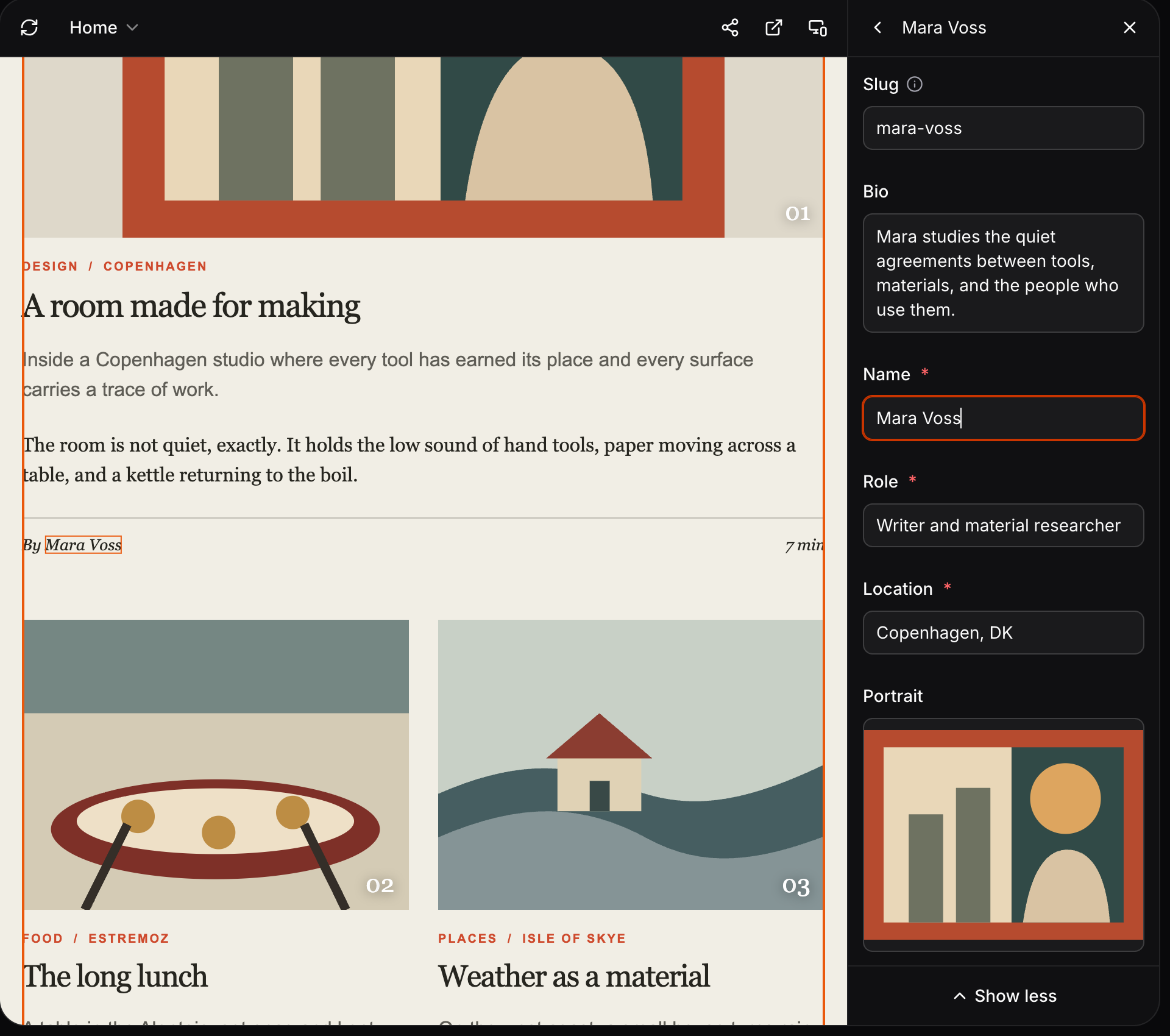
Select visible content in Preview and edit its current value immediately. When you need more context, open the complete entry without losing the field you selected. Fimo Studio Preview with a linked Author entry open in the side editor

Edit one field or the complete entry

Studio opens the selected field first, with the value already shown on the page. Choose All fields to open the complete CMS form. The form keeps its normal order, scrolls to the selected field, and focuses the same control. Your changes save automatically and refresh in Preview.

Follow linked content

When a post displays an author’s name, selecting that name edits the Author entry. It does not change the relation on the Post. Use the back arrow to return to the Post with its Author relation focused. From there, you can open the linked entry, replace it, or clear the relation.

Keep components in context

Select a field inside a component or block to edit that field first. All fields opens its parent components in the complete form and focuses the same field in place. Use the complete form to add, duplicate, remove, or reorder repeatable components and blocks. Edit content visually See all updates