
Attach files in chat
Attach the files you want to discuss and ask a focused question. Fimo keeps the files with your message, so the agent can use the same context. For example, attach a walkthrough and ask the agent to summarize it. The response stays in the same conversation as the source file.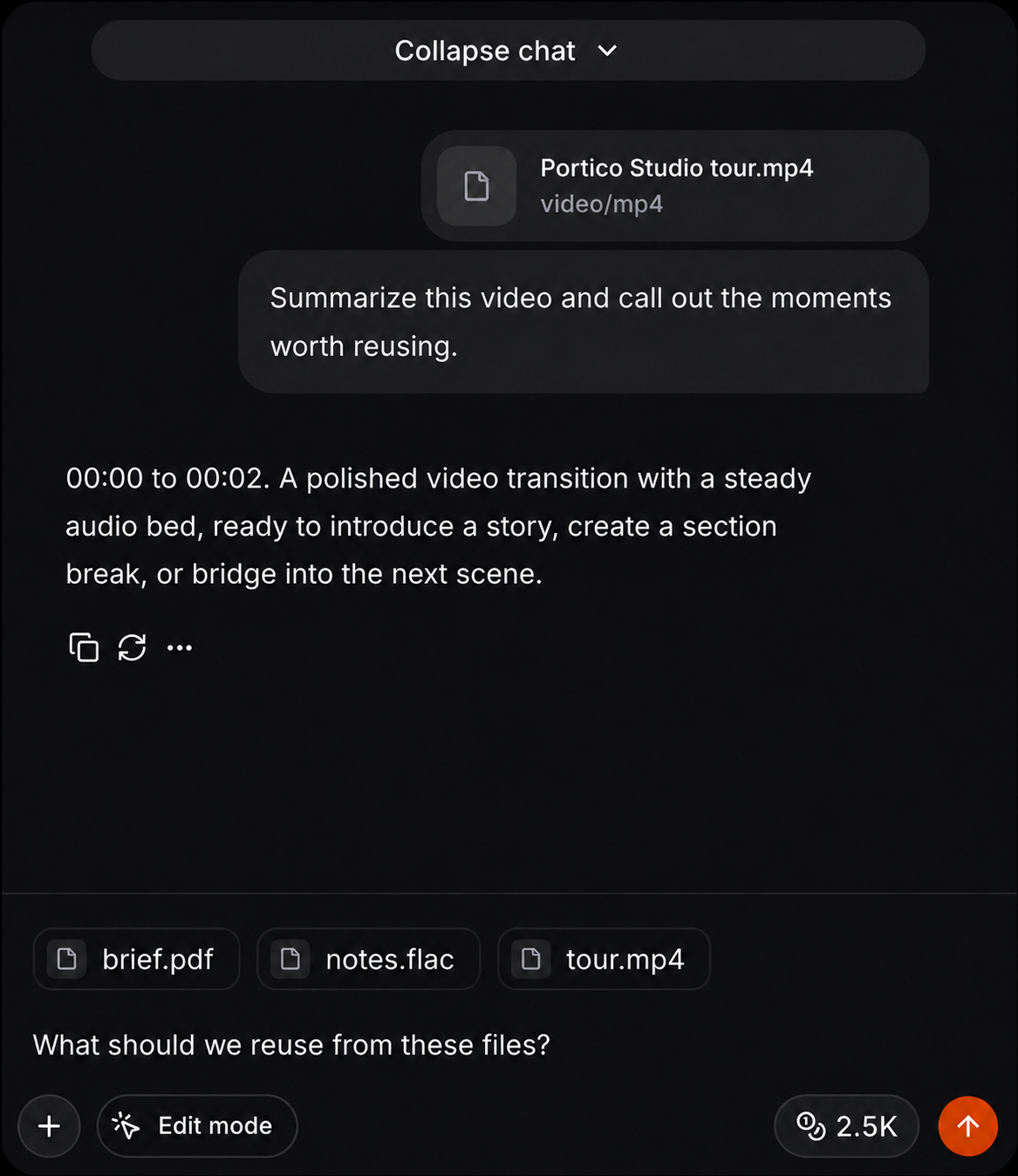
Read from the Media Library
Once a file is in the project, an agent can read it by ID. Fimo returns a bounded interpretation and lets the agent continue with a cursor or ask one targeted question.fimo assets open <asset-id> --download when the original file is what the
agent needs. Read the media guide for supported formats and the
complete workflow, or use attachments in Studio.
Supported file types
Fimo can read a wide range of common files:- Images:
.png,.jpg,.jpeg,.webp,.avif - Documents and data:
.pdf,.doc,.docx,.xls,.xlsx,.ppt,.pptx,.epub,.odt,.ods,.odp,.rtf,.html,.htm,.csv,.md,.markdown,.json,.txt - Archives:
.zip - Audio:
.mp3,.wav,.aiff,.aif,.aac,.ogg,.flac - Video:
.mp4,.mpeg,.mpg,.mov,.avi,.flv,.webm,.wmv,.3gp - 3D models:
.glb,.gltf,.fbx,.obj,.stl,.ply
fimo assets read for the
project asset’s stored interpretation.
See all updates