> ## Documentation Index
> Fetch the complete documentation index at: https://docs.fimo.ai/docs/llms.txt
> Use this file to discover all available pages before exploring further.
# Project settings
> Manage a project's name, visibility, Preview, and lifecycle.
Open **Settings** from the project header, then choose **General**. On a smaller screen, open the Settings tab and select **General**.
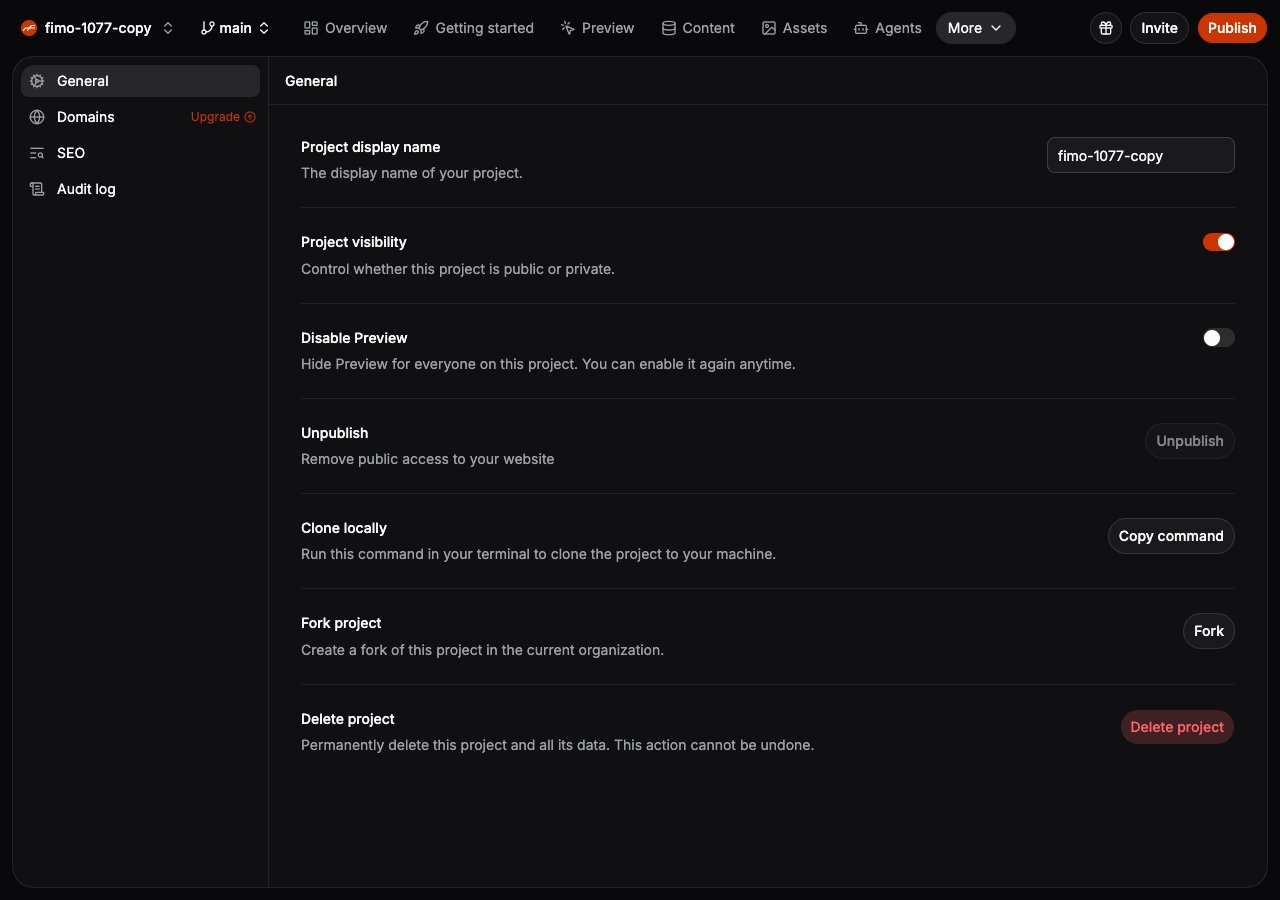 ## Disable Preview
Turn on **Disable Preview** for a headless or content-only project that does not need a visual website preview.
* Preview navigation, shortcuts, and visual Preview actions are hidden for everyone on the project.
* Studio does not request or warm a Preview environment while it is disabled.
* `fimo deploy` still syncs changes, but does not start Preview or return a Preview URL.
* `fimo preview url` stops with an explanation instead of requesting Preview infrastructure.
Turn the setting off to restore Preview.
Disable Preview is a shared project setting. It applies across branches and environments, and it is not stored in
`fimo-config.json`.
## Other General settings
* **Project display name** changes the name shown across Studio.
* **Project visibility** controls whether the project is public or private.
* **Unpublish** removes public access without deleting project data.
* **Clone locally** copies the command for checking out the project.
* **Fork project** creates a copy in the current organization.
* **Delete project** permanently removes the project and its data.
Only project members with permission to manage the project can change these settings.
## Disable Preview
Turn on **Disable Preview** for a headless or content-only project that does not need a visual website preview.
* Preview navigation, shortcuts, and visual Preview actions are hidden for everyone on the project.
* Studio does not request or warm a Preview environment while it is disabled.
* `fimo deploy` still syncs changes, but does not start Preview or return a Preview URL.
* `fimo preview url` stops with an explanation instead of requesting Preview infrastructure.
Turn the setting off to restore Preview.
Disable Preview is a shared project setting. It applies across branches and environments, and it is not stored in
`fimo-config.json`.
## Other General settings
* **Project display name** changes the name shown across Studio.
* **Project visibility** controls whether the project is public or private.
* **Unpublish** removes public access without deleting project data.
* **Clone locally** copies the command for checking out the project.
* **Fork project** creates a copy in the current organization.
* **Delete project** permanently removes the project and its data.
Only project members with permission to manage the project can change these settings.